

A factory reset can solve persistent software problems or prepare a phone for a new owner, but it also removes personal files, installed apps, accounts, and settings. The safest approach is to decide whether you need a full reset, back up anything important, and understand which account details may still be requested when the phone starts again.
Do You Need a Full Factory Reset?
Start with the least destructive option. Reset network settings when Wi-Fi, Bluetooth, or mobile data is the only problem. Reset all settings when system preferences are corrupted but you want to keep photos and documents. Use a factory reset only when you need to erase the phone completely.
On an unlocked device, learning how to reset huawei phone without google account is straightforward because the reset is started from Huawei’s own settings menu. A Google login is not required to open the reset controls.
Back Up and Prepare the Phone
Copy photos, documents, contacts, and authentication details to a computer, cloud service, or another trusted location. Make sure you know the HUAWEI ID password connected to the phone. If the device will be sold or given away, sign out of the HUAWEI ID and turn off Find Device before erasing it.
Charge the battery, remove any memory card you do not want to erase by mistake, and keep the phone connected to a stable power source during the process.
Reset the Phone from Settings
Open Settings, choose System & updates, select Reset, and then tap Reset phone. Read the warning carefully, confirm the operation, and follow the onscreen instructions. The phone will restart and erase data from its internal storage.
This is the cleanest method because it uses the normal system interface and lets you confirm the account and backup status before data is removed.
What Happens After the Reset?
The setup screen will appear when the phone restarts. Depending on the model and security settings, the device may ask for a previously linked HUAWEI ID or other ownership verification. A factory reset does not provide a legitimate way to bypass activation protection. If you cannot verify ownership, recover the HUAWEI ID or contact Huawei with proof of purchase.
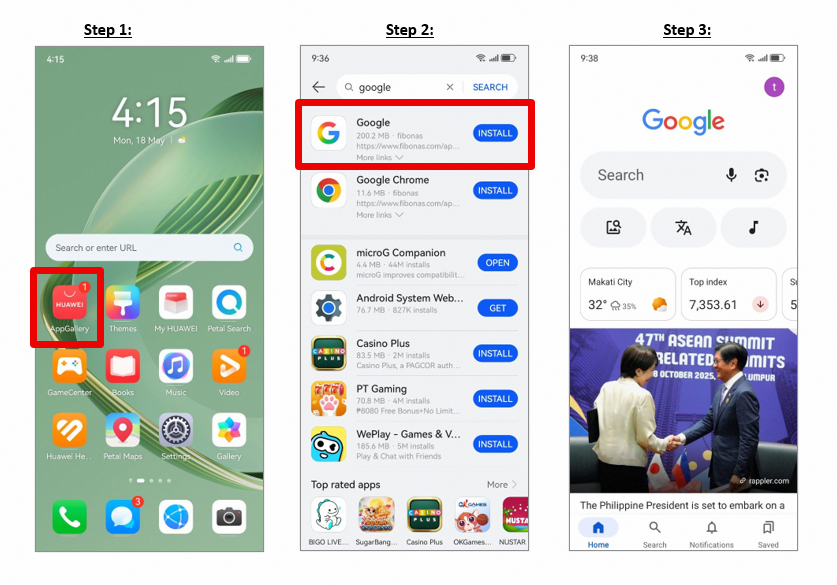
After setup, the supplied how to reset huawei phone without google account community resource can help with reinstalling supported Google apps on a Huawei phone. The linked page is a post-reset app guide rather than a factory-reset tutorial.
Rebuild the Phone Carefully
Restore only the apps and files you still need. Install software through AppGallery or another official developer source, review app permissions, and test calls, messages, mobile data, and account recovery before relying on the phone again.
Keep the how to reset huawei phone without google account page as a reference for rebuilding Google app access after the reset. Separating the reset process from the app-reinstallation process keeps both tasks clearer and safer.